Machine translation tools have become indispensable for students, travelers, professionals, and businesses. With the rise of global communication, automatic translation services help users break language barriers quickly. Three of the most popular options in 2026 are DeepL, Google Translate, and Microsoft Translator.
Each tool approaches translation differently, and each has strengths and weaknesses. Choosing the right one depends on your priorities, such as translation quality, number of supported languages, integration features, and cost. In this guide, we analyze these competitors side by side to help you make an informed choice.
What Are These Tools?
Before comparing them, let’s define what each tool is.
DeepL
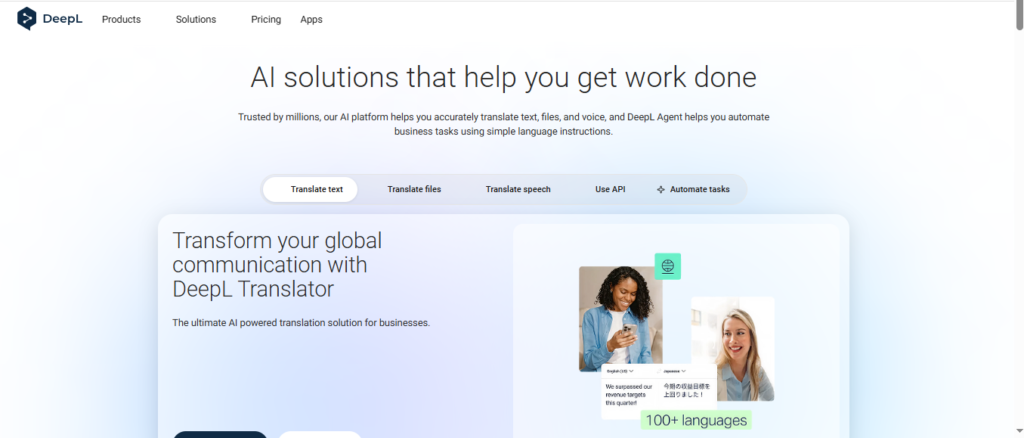
DeepL is a neural machine translation platform known for producing natural‑sounding translations. It focuses on quality and nuance in supported languages. It also offers features tailored for professional usage, such as glossaries and document translation.
Google Translate
Google Translate is perhaps the most widely known translation engine, used by millions worldwide. It supports hundreds of languages, real‑time camera translation, voice input, and offline usage. Its vast language coverage makes it suitable for everyday translation needs.
Microsoft Translator
Microsoft Translator is part of the Microsoft ecosystem with strong integration into tools like Microsoft 365, Teams, and Azure. It supports many languages, conversation translation features, and offers API access for developers.
Read also Kundalik.com — Kirish & Kirish eMaktab
Translation Accuracy: How They Compare
DeepL’s Quality Strength
DeepL has earned a reputation for producing translations that feel more natural and fluent, especially in European language pairs. Users and benchmark tests find that its neural architecture handles idioms, context, and tone better than some alternatives.
This quality makes DeepL a strong candidate for business documents, creative content, marketing materials, and use cases where nuance really matters. It also offers a glossary feature that can help maintain consistent terminology across translations.
Google Translate’s Broad Coverage
Google Translate excels in language coverage. It supports hundreds of languages and dialects, making it the go‑to tool when language breadth is the priority. This advantage is important for users dealing with languages that DeepL and Microsoft Translator do not support.
That said, its translations can sometimes be too literal, especially in complex sentences or phrases with cultural nuance. While it has improved over time, it still lags behind DeepL in producing fully human‑sounding text in many European languages.
Microsoft Translator’s Balance
Microsoft Translator generally falls between DeepL and Google Translate in terms of raw accuracy for written text. It performs well on straightforward translations but can struggle with idiomatic expressions and stylistic nuances.
Where it shines is in real‑time conversation translation and integration with Microsoft products like Teams and Office. For businesses that rely on Microsoft’s ecosystem, this integration is often a deciding factor.
Language Support and Coverage
Language Range
- Google Translate leads with the most supported languages. It covers hundreds of languages and dialects, including many lesser‑spoken ones.
- Microsoft Translator supports around 100 languages, offering a strong middle ground.
- DeepL supports a smaller number of languages, focusing on quality over quantity.
This difference matters for users who need additional languages beyond major ones like English, Spanish, or French. For example, if you work with Swahili, Thai, or Icelandic, Google Translate remains the most reliable free option.
Features and Integration
Document Translation
All three tools allow translating documents such as Word files, PDFs, and PowerPoint slides. However, DeepL’s document translation is often praised for preserving formatting and delivering more coherent output, especially for professional content.
Real‑Time Conversation and Apps
- Google Translate includes camera translation, voice input, and offline mode, making it effective for travel or casual use.
- Microsoft Translator offers group conversation translation and integrates well with Teams for real‑time communication.
- DeepL currently lacks offline and conversation features, focusing instead on text accuracy and professional translation tools.
API and Developer Tools
For developers and businesses, all three provide APIs, but pricing and customization differ:
- Google Cloud Translation API offers extensive customization and large language support.
- Microsoft’s API is cost‑effective with a generous free tier.
- DeepL’s API emphasizes quality and is often chosen when translation quality is more important than breadth.
Performance in Real‑World Situations
Professional Document Translation
DeepL’s focus on natural language and terminology control makes it a favorite for business documents, contracts, marketing copy, and content you may want to publish or present.
Google Translate is usable here too, but often requires heavy editing. Microsoft Translator performs adequately, but rarely matches DeepL’s fluency and sometimes struggles with idioms or cultural context.
Travel and Casual Use
Google Translate’s offline packs, camera translation, and simple mobile interface make it ideal for travelers or quick day‑to‑day tasks. Microsoft Translator also offers offline mode and group chats for multilingual conversations.
DeepL’s lack of offline and real‑time conversation features places it behind in this category, though its core translation remains very strong in supported languages.
Read also React Bootstrap Guide 2026 | Navbar, Modal & Icons Tutorial
Customer Support and Multilingual Websites
For customer support that covers many languages, Google Translate’s broad coverage is unmatched. If your support markets are concentrated in major European languages and tone is critical, DeepL is often the better choice. Microsoft Translator fits well for live chat translation within a Microsoft platform.
User Feedback and Community Insights
Real user discussions show varied experiences:
- Some long‑time DeepL users report that recent translation quality has deteriorated for certain language pairs, with more awkward output and errors than before.
- Others still praise DeepL for accurate results in major European languages and effectiveness over Google Translate for specific cases.
These mixed reviews suggest that while DeepL remains a strong choice for quality, it is not flawless and performance can vary by language pair and text type.
Pricing and Accessibility
- Google Translate is free for most users and offers affordable API pricing, but larger usage may incur costs.
- Microsoft Translator has a generous free tier and affordable API costs, appealing to developers and businesses with heavy translation needs.
- DeepL offers subscription tiers geared toward professional users who need document translation, glossaries, and higher quality output.
Cost considerations often depend on how much translation volume and professional quality you need.
Final Verdict
There is no one‑size‑fits‑all answer. Your choice depends on priorities:
- Best for Accuracy: DeepL is often the top pick for nuanced, professional quality in supported languages.
- Best for Coverage: Google Translate wins with support for hundreds of languages and versatile features.
- Best for Integration: Microsoft Translator excels when tied into existing Microsoft tools and workflows.
Most users end up using more than one tool depending on task and context.
Conclusion
DeepL, Google Translate, and Microsoft Translator each serve important roles in 2026. DeepL focuses on translation quality and natural language, Google Translate offers unmatched language coverage and travel‑friendly tools, and Microsoft Translator brings strong integration and affordable API options.
Understanding your use case — whether for professional documents, travel, customer support, or development — will help you pick the right translation tool or combination of tools for your needs.