We have all been there. You have a brilliant idea for a proposal or a class project, but staring at a blank slide deck feels paralyzing. Aligning text boxes, searching for stock photos, and messing with font sizes can suck the life out of your creativity. You spend more time fighting with the design software than focusing on your message.
Gamma AI promises to change that. It is not just another slide editor; it is a new medium for presenting ideas, powered by artificial intelligence. It claims to generate beautiful, engaging presentations, documents, and webpages in seconds, just from a text prompt.
In this review, we will explore Gamma AI review capabilities in 2026. Does it live up to the hype? Can it really replace traditional tools like PowerPoint or Google Slides? Let’s dive in.
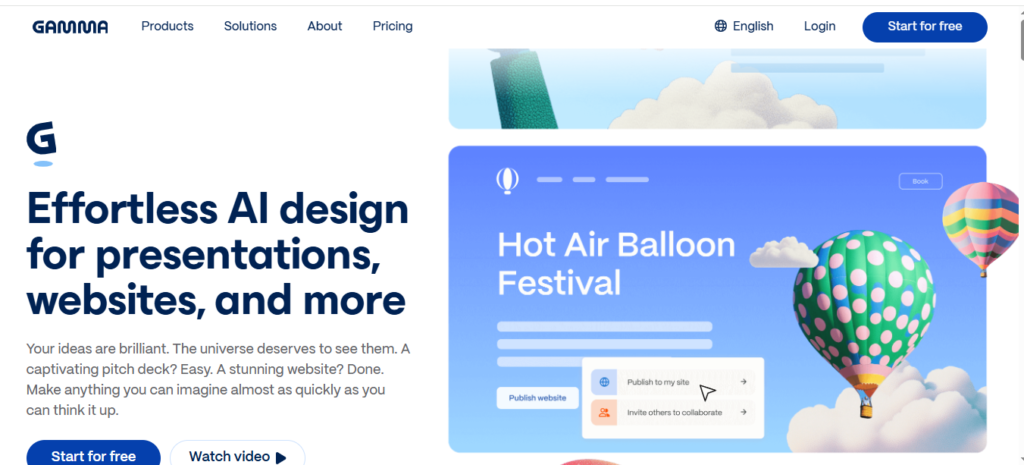
What is Gamma AI?
Gamma AI is a cloud-based content creation platform that uses generative AI to build presentations, documents, and websites. Unlike traditional tools, where you build slide by slide, Gamma works like a document editor but outputs visual, interactive “cards.”
Why is this relevant in 2026? Because the speed of business and education is accelerating. Professionals and students no longer have hours to tweak slide transitions. Gamma AI addresses this by acting as your design partner. You provide the content or the outline, and Gamma handles the formatting, layout, and image sourcing instantly. It’s designed for the “slide-averse”—people who want to share ideas visually without the hassle of traditional deck building.
Read also Knowt AI Review
Key Features and Benefits
Gamma app separates itself from the pack with a unique approach to content creation. Here are the features that make it a standout tool.
AI Generation from Prompts
This is the core magic of Gamma. You can type a topic like “The Future of Renewable Energy” or “Q1 Marketing Strategy,” and the AI will generate a complete outline. Once you approve the outline, it builds the entire presentation—complete with text, relevant images, charts, and formatting—in under a minute.
“Paste to Deck” Functionality
Already have your notes? You can paste an entire document, outline, or set of notes into Gamma, and it will intelligently break that text down into separate slides (or cards). It preserves your structure while applying professional design principles automatically.
Flexible “Card” Format
Gamma doesn’t use standard slide dimensions by default. It uses fluid cards that can expand to fit your content. This makes presentations feel more like interactive webpages than static slides. It allows for better storytelling flow, as you aren’t forced to cram everything into a 16:9 box.
One-Click Design Themes
Changing the look of your presentation doesn’t require manually editing every header. Gamma offers a library of polished themes. With a single click, you can transform a corporate-looking deck into something playful, dark-mode, or minimalist. The AI restyles fonts, colors, and imagery instantly.
Interactive Elements
Gamma allows you to embed live content directly into your presentation. You can add GIFs, videos, charts, and even live websites (like a Figma prototype or a tweet) directly onto a card. This makes your presentations dynamic and engaging.
Use Cases: Who Should Use Gamma?
Gamma AI is versatile, but it shines brightest for specific users.
For Business Professionals
Sales teams, consultants, and marketers use Gamma to create pitch decks and client reports rapidly. Instead of spending a whole afternoon formatting a quarterly review, they can generate a professional-looking draft in minutes and spend the rest of the time refining the narrative.
For Educators and Students
Teachers can turn lesson plans into visual study guides instantly. Students use it to create impressive class presentations without needing design skills. The ability to turn text notes into a visual format helps with studying and retention.
For Founders and Startups
Startups often need to pitch ideas quickly. Gamma allows founders to create visually stunning pitch decks or one-pagers to share with investors, often looking far more expensive and time-consuming than they actually were.
Read also Sizzle AI Review
Pricing and Plans
Gamma AI app operates on a freemium model, making it accessible to a wide range of users.
- Free Plan: This usually includes a generous amount of “credits” (Gamma’s currency for AI generation) upon signing up. You can create unlimited decks and export them to PDF or PowerPoint (with a “Made with Gamma” badge). It’s excellent for individuals trying it out.
- Plus/Pro Plan: For power users, the paid subscriptions offer unlimited AI generation, the removal of Gamma branding, access to premium image models, and advanced analytics to see who viewed your deck. This is ideal for heavy users in a corporate setting.
Note: Pricing structures change frequently in the SaaS world. Always check Gamma’s official pricing page for the latest 2026 rates.
Pros and Cons
Is Gamma App the perfect tool? It’s close, but it has limitations.
Pros
- Incredible Speed: It is arguably the fastest way to get from a blank page to a finished draft.
- Design Quality: The generated designs are modern, clean, and aesthetically pleasing by default.
- Ease of Use: The interface is intuitive. If you can type in a document, you can use Gamma.
- Responsiveness: Presentations look great on mobile devices, which is a huge advantage over traditional slides.
Cons
- Limited Customization: While themes are great, you have less granular control over individual pixel placement compared to PowerPoint or Figma. Design purists might find this frustrating.
- Credit System: On the free plan, you have to watch your credit usage. Heavy editing or regenerating images consumes credits.
- Export formatting: While you can export to PowerPoint, sometimes the interactive elements or specific formatting don’t translate perfectly to static slides.
How to Get Started with Gamma AI
Ready to create your first AI presentation? Follow these simple steps.
- Sign Up: Head to the Gamma website and create an account using your Google login.
- Choose Your Format: Click “Create New.” You will be asked if you want to generate a Presentation, Document, or Webpage. Select Presentation for a slide deck.
- Enter Your Topic: You can either type a prompt (e.g., “Overview of Ancient Roman Architecture”) or choose “Paste Text” to use your own notes.
- Review the Outline: Gamma will suggest an outline of topics. You can edit, add, or delete sections here to ensure the flow is right.
- Select a Theme: Choose a visual style that matches your tone (Professional, Creative, Dark, etc.).
- Generate: Click “Generate” and watch as Gamma builds your deck in real-time.
- Edit and Refine: Use the editor to swap images, rewrite text, or add interactive embeds.
Read also Mathos AI Review
FAQs
Here are the most common questions users ask about Gamma AI.
Can I export Gamma presentations to PowerPoint?
Yes, Gamma allows you to export your creations as editable PowerPoint (.pptx) files or as PDFs. This is crucial if you need to present in an environment where you can’t access the web-based Gamma link.
Is the content generated by Gamma unique?
Gamma uses large language models to generate text based on your prompts. While the structure is unique to your request, the text itself is AI-generated and should always be fact-checked and personalized to ensure it sounds like you.
Does Gamma replace PowerPoint?
For many users, yes. However, if you need highly complex animations, specific print-ready layouts, or enterprise-level master slide controls, PowerPoint is still the industry standard. Gamma is better for speed and visual storytelling.
Can I collaborate with others?
Yes, Gamma supports real-time collaboration. You can invite team members to your deck, leave comments, and edit together simultaneously, similar to Google Docs.
Conclusion
Gamma AI app is more than just a novelty; it is a serious productivity tool for 2025. It successfully solves the “blank canvas” problem, allowing users to focus on their ideas rather than font sizes.
While it may not replace advanced design software for high-end, custom corporate branding just yet, it is an absolute game-changer for 90% of day-to-day presentation needs. If you value your time and want to produce professional-grade work with minimal effort, Gamma AI is an essential addition to your digital toolkit.