Studying has evolved dramatically. Gone are the days of endless handwritten flashcards and losing track of lecture notes. Today, students and lifelong learners are drowning in digital information, looking for ways to streamline their study sessions. We all want to learn faster, retain more, and spend less time on the administrative side of education.
That is where Knowt AI steps in. Often compared to Quizlet but with a powerful AI twist, Knowt has positioned itself as a top contender in the ed-tech space for 2026. It promises to turn your notes into study materials instantly, saving you hours of prep time.
In this review, we will dive deep into Knowt AI. We will explore its features, how it can transform your study habits, and whether it’s truly the best free alternative to its competitors.
What is Knowt AI?
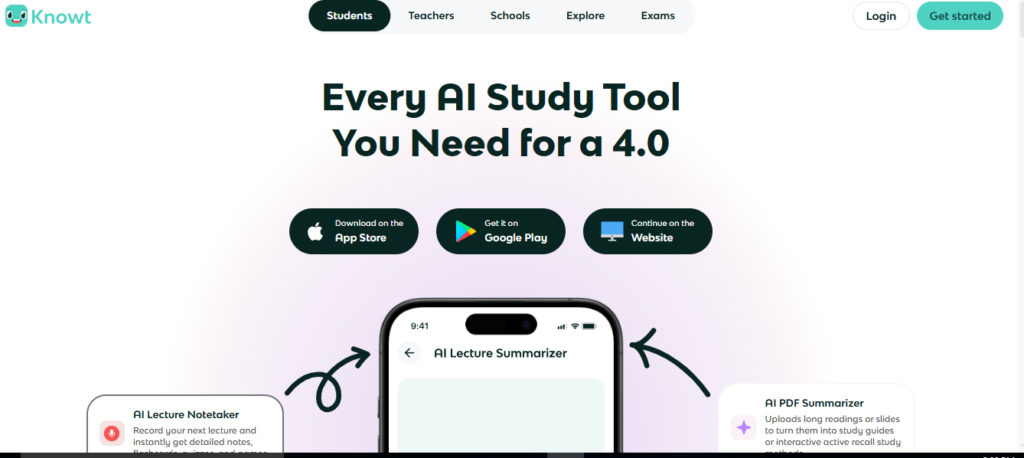
Knowt AI is an all-in-one study platform designed to revolutionize how students interact with their learning materials. At its core, it is a flashcard app, but calling it just that would be a disservice. It utilizes artificial intelligence to automatically generate flashcards and quizzes directly from your notes, lecture slides, or videos.
Why is it relevant in 2026? As educational content becomes more digital and fast-paced, students need tools that can keep up. Knowt addresses the “Quizlet paywall” frustration that many students face, offering robust features for free while integrating advanced AI to automate the tedious process of creating study aids. It’s built for the modern student who values efficiency and accessibility.
Read also Sizzle AI Review
Key Features and Benefits
Knowt AI is packed with features designed to reduce the friction between learning and testing. Here is what makes it stand out.
AI Flashcard Generation
This is the flagship feature. Instead of manually typing out hundreds of cards, you simply upload your class notes, a PDF, or even a link to a lecture video. The AI analyzes the content and instantly creates a set of flashcards covering the key concepts. This saves hours of manual data entry, allowing you to start studying immediately.
Free Learn Mode
For many users, this is the game-changer. Competitors often lock their “Learn Mode”—which uses spaced repetition algorithms to help you master content—behind a subscription. Knowt offers this entirely for free. It adapts to your performance, showing you difficult cards more frequently until you’ve mastered them.
Video-to-Notes
Watching a 45-minute lecture can be draining, and taking detailed notes is difficult. Knowt AI can take a YouTube video link, transcribe it, summarize it, and generate study materials from the video content. This is invaluable for visual and auditory learners who rely on online lectures.
Seamless Imports
If you are migrating from another platform, Knowt makes it easy. It has a specific feature to import sets directly from Quizlet. This means you don’t lose your previous hard work; you just move it to a more feature-rich (and wallet-friendly) environment.
Use Cases: Who is Knowt For?
Knowt AI isn’t just for one type of student. Its versatility makes it useful across various scenarios.
For University Students
College students dealing with dense lecture slides and complex PDFs benefit immensely. Instead of re-reading a 50-page PDF, they can upload it to Knowt and quiz themselves on the core material within minutes. It is perfect for cramming during finals week.
For Language Learners
The flashcard system is ideal for vocabulary retention. The spaced repetition features ensure that new words are moved from short-term to long-term memory efficiently.
For Teachers
Educators can use Knowt to quickly generate quizzes for their classes. By uploading their lesson plans or handouts, they can create engaging review materials for students without spending their evenings typing out questions.
Pricing and Plans
One of Knowt’s strongest selling points is its pricing model.
- Free Plan: Knowt is famous for being incredibly generous with its free tier. Users get access to unlimited flashcard sets, the AI note-taking features, and the highly coveted Learn Mode. For the vast majority of students, the free plan is all they will ever need.
- Knowt Supporter/Plus: While the core features are free, Knowt does offer a premium tier. This typically removes ads and may offer advanced customization options or priority AI processing limits. It is positioned more as a way to support the developers rather than a “must-have” for functionality.
Pros and Cons
Is Knowt AI perfect? Not necessarily. Here is a balanced look.
Pros
- Cost-Effective: It offers premium features (like Learn Mode) for free, making it the best budget-friendly option.
- Time-Saving AI: Automatically turning notes and videos into quizzes drastically reduces study prep time.
- Easy Migration: The ability to import from Quizlet makes switching platforms painless.
- All-in-One Interface: Combines note-taking and flashcards in a single dashboard.
Cons
- AI Accuracy: While good, AI is not infallible. It might occasionally miss a nuance in your notes or generate a question that is slightly off-target, requiring manual review.
- Interface Complexity: With so many features packed in, new users might find the dashboard slightly overwhelming compared to simpler, bare-bones apps.
- Mobile Experience: While the app is solid, some users report that the desktop web version offers a smoother experience for editing and organizing large sets.
How to Get Started with Knowt AI
Ready to switch up your study routine? Here is a simple guide.
- Sign Up: Go to the Knowt website or download the app and create an account. You can use your Google or Apple ID for quick access.
- Import or Create: You will see options to “Create Flashcards.” Choose whether to upload a file (PDF/PowerPoint), paste text, link a video, or import from another site like Quizlet.
- Let AI Work: If you uploaded a file, wait a moment for the AI to process the information.
- Review and Edit: Once the cards are generated, quickly scroll through them. Edit any cards that need clarification or adjustment.
- Enter Learn Mode: Select “Learn Mode” to start studying. The app will guide you through the deck, prioritizing cards you struggle with.
Read also Mathos AI Review
Conclusion
Knowt AI has successfully disrupted the study app market by addressing the biggest pain points of students: cost and time. By democratizing access to powerful study modes and leveraging AI to automate the heavy lifting of note-creation, it offers immense value.
If you are tired of hitting paywalls on other platforms or spending more time making flashcards than actually studying them, Knowt AI is a must-try in 2025. It is a modern, intelligent tool that respects your time and your wallet.
FAQs
Here are some common questions users have about Knowt AI.
Is Knowt really free?
Yes, the vast majority of Knowt’s features, including the Learn Mode, flashcard creation, and AI generation tools, are completely free. They are supported by ads and an optional premium tier for those who want an ad-free experience.
Can I import my decks from Quizlet?
Absolutely. Knowt has a specific import tool designed for this. You can usually import your existing sets with just a few clicks, bringing all your terms and definitions over seamlessly.
How accurate are the AI-generated flashcards?
The AI is quite impressive, but it functions best with clear, well-structured notes. It acts as a starting point. We always recommend reviewing the generated cards to ensure they perfectly match the specific details you need to memorize for your exam.
Does Knowt work offline?
Currently, Knowt is primarily cloud-based to leverage its AI features and sync across devices. You generally need an internet connection to generate new content and sync your progress, though some mobile app features may allow for cached reviewing.