Creating presentations can often feel like a chore. You spend hours fighting with text boxes, searching for the right images, and trying to make dull slides look engaging. What if AI could handle the heavy lifting, turning your ideas into a visually stunning presentation in minutes? That’s the promise of Prezi AI.
Prezi has long been known for its unique, non-linear presentation style that zooms between topics. Now, with the integration of artificial intelligence, it aims to revolutionize how we design and deliver information. But does it live up to the hype?
This review will dive deep into the Prezi AI review. We will explore its features, benefits, and potential drawbacks. By the end, you will know if it’s the right tool to elevate your next presentation.
What is Prezi AI?
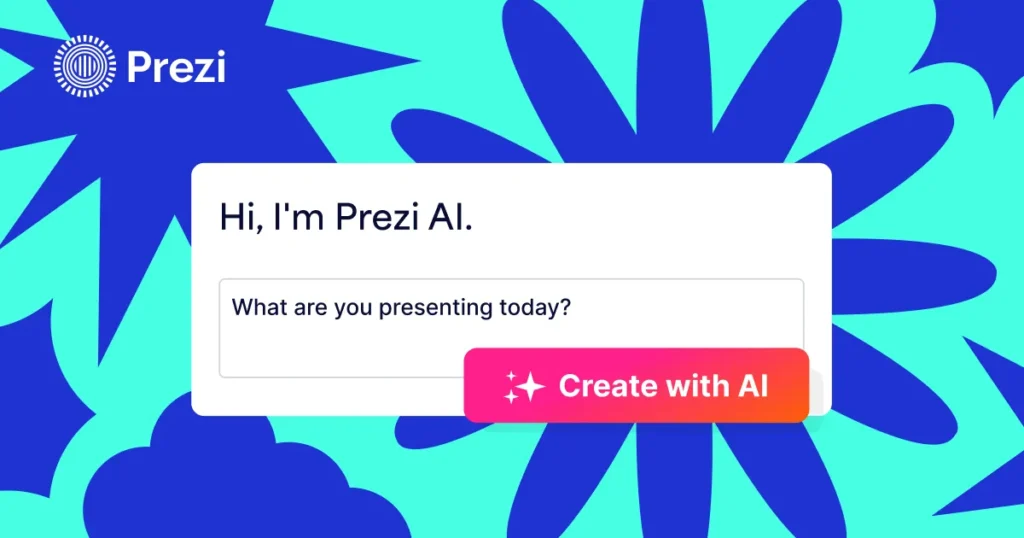
Prezi AI is an advanced feature within the Prezi platform that uses artificial intelligence to generate complete presentations from a simple text prompt. You provide a topic or an idea, and the AI builds a structured, professionally designed presentation complete with text, images, and Prezi’s signature zoom animations. It’s designed to save time, spark creativity, and help you create more impactful content without starting from scratch.
Think of it as a creative partner. It handles the initial design and structure, leaving you to focus on refining the content and adding your personal touch.
Key Features of Prezi AI
Prezi AI is more than just a template generator. It combines several intelligent features to create a seamless user experience.
AI-Powered Presentation Generation
The core of Prezi AI is its ability to create a presentation from a single prompt. You can type something like, “A business plan for a sustainable coffee shop,” and the AI will generate a multi-section presentation. It will include an introduction, market analysis, financial projections, and a conclusion, all organized logically. This feature is a massive time-saver for anyone who dreads the blank-slide paralysis.
Read also Nastia AI Review, Pricing, Features, and Top Alternatives
Smart Content and Structure
The AI doesn’t just fill slides with random text. It understands the context of your topic and creates a relevant structure. For a business presentation, it might generate sections on mission, team, and marketing. For a history lesson, it could create a chronological timeline. This intelligent structuring provides a solid foundation that you can easily edit and build upon.
Automatic Visual Design
One of the biggest challenges in presentation design is making it look good. Prezi AI automatically selects a design theme, color palette, and layout that fit your topic. It also sources royalty-free images to complement your content, ensuring your presentation is visually engaging from the start. If you don’t like the initial design, you can easily change it with a single click.
Editable and Customizable
A common fear with AI tools is a lack of control. Prezi addresses this by making every element of the AI-generated presentation fully editable. You can rewrite text, swap images, change the order of topics, and add your own content. The AI gives you a head start, not a rigid final product.
AI Outline and Slide Creator
If you don’t want the AI to create the entire presentation, you can use it for smaller tasks. The AI outline creator can help you structure your thoughts by generating a logical flow for your topic. You can also ask the AI to generate a single new slide on a specific sub-topic to add to an existing presentation.
The User Experience: Is It Easy to Use?
Getting started with Prezi AI is incredibly straightforward. The interface is clean and intuitive. A prominent prompt box invites you to enter your idea. Once you submit your prompt, the AI takes a minute or two to work its magic.
The result is a fully formed presentation laid out on Prezi’s infinite canvas. You can navigate through it using the familiar zoom and pan functions. Editing is simple. Clicking on any text box or image allows you to make changes instantly. The drag-and-drop functionality makes reordering sections feel fluid and natural.
For those new to Prezi, the non-linear format might take a moment to get used to. However, the AI-generated structure provides clear paths, making it much easier to navigate than starting with a blank canvas.
Read also Vidnoz AI Review: Is It the Best AI Video Generator?
Prezi AI vs. Traditional Tools (like PowerPoint)
How does Prezi AI stack up against a titan like PowerPoint? The difference lies in their core philosophies.
- Structure and Flow: PowerPoint is linear. You move from slide 1 to slide 2, and so on. Prezi AI uses a conversational, non-linear format. You can zoom in on details or pull back to see the big picture, creating a more dynamic and engaging narrative.
- Design Process: In PowerPoint, you are the designer. You choose every layout, font, and image. With Prezi AI, you are the editor. The AI handles the initial design, freeing you up to focus on the message.
- Speed: Creating a detailed presentation in PowerPoint can take hours. With Prezi AI, you can have a solid first draft in under five minutes. The time saved is significant.
While PowerPoint offers granular control, Prezi AI offers speed and a more modern, engaging visual style.
Use Cases: Who Should Use Prezi AI?
Prezi AI is a versatile tool that can benefit a wide range of users.
- Business Professionals: Quickly create pitches, project proposals, and marketing presentations. The professional designs help make a strong first impression.
- Educators: Generate engaging lesson plans and lecture materials that capture students’ attention. The visual format is great for explaining complex concepts.
- Students: Brainstorm ideas for projects and create polished presentations for class assignments without spending hours on design.
- Marketers: Develop compelling content for webinars, sales meetings, and social media campaigns with a consistent and branded look.
Potential Drawbacks
No tool is perfect. Prezi AI has a few limitations to consider.
First, the AI-generated content is a starting point. It is generic by nature and requires you to add specific details, data, and personal insights to make it truly your own. Don’t expect it to write a perfect, fact-checked report for you.
Second, the non-linear format, while engaging, can be disorienting if not structured well. It’s easy to get lost in a sea of topics without a clear path.
Finally, the best features of Prezi AI are locked behind a subscription. While there is a free version of Prezi, the AI generation capabilities require a paid plan.
Read also How To Unleash Your Creativity with Perchance AI Chat
Pricing and Plans
Prezi offers several pricing tiers. The AI features are generally included in the premium plans.
- Standard Plan: Offers basic features but limited AI capabilities.
- Plus Plan: A good option for individuals, offering more storage and features.
- Premium Plan: Geared toward business professionals and offers the full suite of Prezi tools, including advanced analytics and collaboration.
The cost is competitive with other premium presentation software. Considering the time-saving benefits of the AI, many professionals will find the investment worthwhile.
Conclusion
Prezi AI is a powerful and innovative tool that successfully tackles some of the biggest pain points in presentation creation. It drastically reduces design time, helps overcome writer’s block, and produces visually compelling content that stands out.
It is not a magic button that creates a perfect presentation for you. Instead, it is a brilliant assistant that provides a strong foundation, allowing you to focus on what matters most: your message.
If you are a professional, educator, or student who frequently creates presentations and values both time and visual impact, Prezi AI is absolutely worth exploring. It represents a significant step forward in presentation technology and makes creating engaging content more accessible than ever before.